
Lesson 11
AnimationPlayer, Custom Collision Shapes


Download the week 11 project
We've already seen how to create 2D animations using AnimatedSprite2D and tweens. There is another way to create complex animations without any scripting using an AnimationPlayer. AnimationPlayer is a node that allows you to create key point animations for properties on other nodes. Here are a few common use cases for AnimationPlayer:
Moving platforms
Fading an object out
Camera shakes
Modulating the color of an existing sprite
You can accomplish a lot of the same effects as an AnimationPlayer using a tween, so when should you use one over the other? As previously stated, the animations defined in an AnimationPlayer are static; they are defined in the editor with specific key frames and will always play the same, making an AnimationPlayer ideal for consistent, pre-defined animations. Tweens are more appropriate for ad hoc, on the fly animations that are based on the current state of an object, or animations that can change from one use to the next (ex, applying a random rotation to a node). In many cases, you can use either and be fine.
The AnimationPlayer is a rather complex node type, so rather than go into detail on how to use it here, I will direct you to read the Godot documentation on AnimationPlayer and look at some of the Godot tutorials that use it: https://docs.godotengine.org/en/stable/tutorials/animation/introduction.html#doc-introduction-animation
AnimationPlayer
Custom Collision Shapes
We've used CollisionShape2D extensively already to define collision shapes for nodes. In all cases up until now, we've been able to use one of the pre-defined shapes, such as Circle or Rectangle. But what if you need a more complex shape, and what if you need to be able to edit that shape with a few parameters?
Let's look at how we can create a Cone (technically, a Sector or a circle) collision shape that we can edit with parameters like length and half_angle. Rather than using CollisionShape2D, we will instead use a CollisionPolygon2D which is a collision shape that is defined by an array of 2D points.
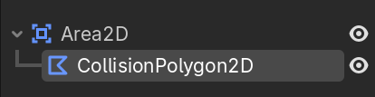
Now we could just add points to the polygon and manually drag them to define the shape that we want, but it would be much simpler to have properties length and half_angle that we can adjust and automatically generate a cone (sector) based on these parameters.
Homework
No homework this week. Just play around with TileMaps and Tweens.