
Lesson 5
Collectables and Sound Effects


Download the week 4 project
Area Collisions
Collision detection can practically be broken down into two distinct types: physical collisions, and area triggers. When a physical collision occurs, movement often stops or changes direction, such as running into a wall or running along uneven ground. An area trigger, on the other hand, refers to two or more things overlapping, and is often used to trigger (as the name implies) something else. For example, you want to know if a player has entered a specific area of the dungeon that triggers a special event, or he moves over an item that can be picked up.
Godot has an Area2D node that can be used to determine when two things overlap rather than when they collide. Area2D is a type of CollisionObject2D, so it can be used as part of the collision system, but it's not for detecting collisions. Rather, it is used to determine intersections: when two things overlap.
As a CollisionObject2D, it requires one or more CollisionShape2D child nodes to determine its shape, or the area that it occupies in the scene. There may be many occasions where you have an Area2D that doesn't have a visible component to it. That it's, it's not something the player will ever see. An example would be a trap in a dungeon, or a checkpoint where you trigger an auto-save. Also, because it is a CollisionObject2D, it has Collision Layers and Collision Masks that allow you to control what other collision layers can detect it, or can be detected by it. In most cases, an Area2D node will only contain 1 or more collision layers and no collision masks. This is because they only need to indicate that they belong to a collision layer so that another node can detect them, but they don't need to detect other Area2D nodes, as in the case of an item that the player can pick up (like a coin).
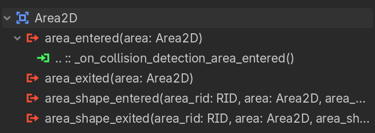
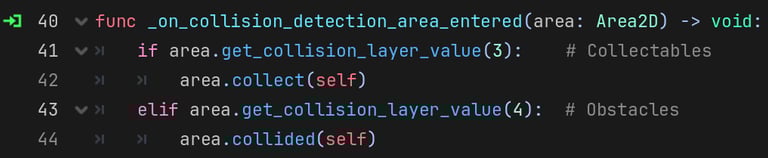
When an Area2D enters (overlaps) another Area2D node, it will emit its area_entered(area) signal, which passes as an argument the other Area2D that intersected it. Connect to this signal in one of your scripts so that you can react to entering another Area2D. This is why it is referred to as an "area trigger", since entering the area has triggered some event or action to occur. You will most likely want to check which collision layer the other Area2D belongs to to determine how to react to this trigger.
Sound Effects and Delayed Events
The AudioStreamPlayer2D node can be used to play music or sound effects in your game. You can have multiple AudioStreamPlayer2D nodes in a scene to play multiple sound effects at the same time. For example, your player might have one AudioStreamPlayer2D to play footstep sound effects and another for weapon slashes, which each enemy or collectable item may have their own AudioStreamPlayer2D nodes to play their own sound effects.
Up until this point, we have been able to react to things immediately when they happen. When the player pressed the "jump" key, we can make the player jump. When the player collides with a wall, we immediately stop moving and change the animation that is playing. But sound effects can create a situation where you need to wait until the audio finishes playing before doing the next things. For example, when the player picks up an items, you will probably want to immediately remove the item and play a sound effect. The problem is that if the AudioStreamPlayer2D node is a child of the item, then it will be destroyed when the item is removed, and thus the audio stops playing (or doesn't play at all).
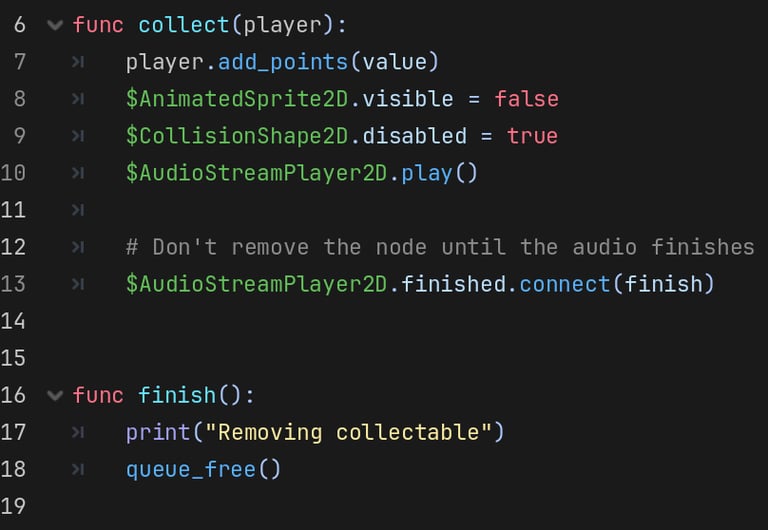
To get around this, you can use the AudioStreamPlayer2D's finished() signal. This signal will be emitted when the node finishes playing its audio stream. By connecting a callback function to it, you can wait until the audio finishes before taking some other action.
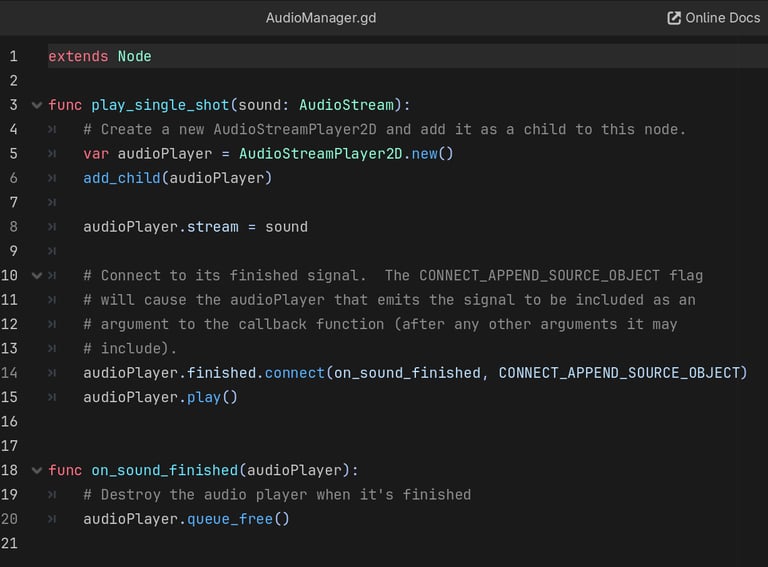
Another way to workaround this would be to have some sort of global audio manager class that can play sound effects for any node in the scene so that the AudioStreamPlayer2D node doesn't belong to the node that is getting destroyed. This is called a single shot sound effect, because the audio manager class would create a new AudioStreamPlayer2D node on the fly, add it to the scene, assign the audio stream to play (likely passed in to a function that triggers the sound effect), and then destroy the AudioStreamPlayer2D node after the audio stream finishes playing. Thus, it only exists for a single "shot", or a single sound effect. Now, any node in the scene can play a single shot sound effect without having to manage its own AudioStreamPlayer2D node, and it can immediately be destroyed after triggering the single shot sound effect!
Homework
Add Coin Scene
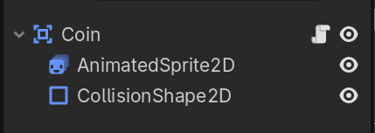
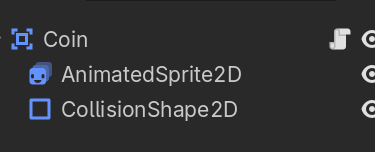
Create a new scene with an Area2D root node, rename it "Coin"
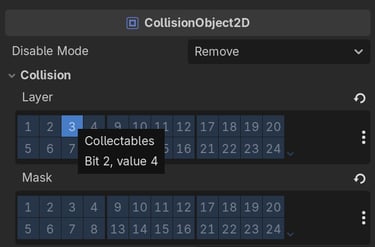
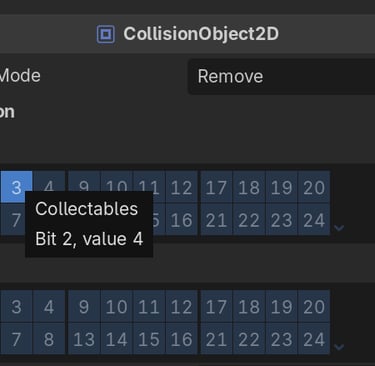
Set the Collision Layer to 3 (Collectables)
Uncheck all Collision Mask layers, since the Coin doesn't need to scan for any collision layers.
Add AnimatedSprite2D child node.
Add coin sprites to "default" animation.
Change speed to 8 FPS
Add CollisionShape2D child node.
Add Circle shape.
Resize circle to fully overlap the sprite.
Add a new script to the root node called Collectable
Add @export variable with the collectable's value.
Add collect function that takes a player argument. This function will call player.add_points(value) when the coin is collected.
In the collect function, remove the collectable: queue_free()
Update Player Scene
Add an Area2D child to the Player scene, rename it "CollisionDetection"
Add a CollisionShape2D child to the new Area2D node.
Add a Rectangle shape, resize to overlap the player sprite.
Update the Player Script
Add a new @export variable to the player script called score.
Connect the Area2D's area_entered signal to a new function in the player script (the default function name is fine).
In this new function, check if the area's collision layer is 3 (Collectables). If so, call area.collect(self) to collect it.
Add a new function to the player script called add_points that takes a points argument.
Increment the player's score by the point's passed in: score += points.
Add Audio to Coin
Add AudioStreamPlayer2D child node to the Coin scene.
Set the Stream property to the retro-coin.mp3 audio file. Leave all other properties default.
Update the Collectable script.
Add a new finish() function, move the call to queue_free() to the new finish() function.
In the collect() function, play the AudioStreamPlayer2D node.
Connect the AudioStreamPlayer2D's finished signal to the new finish function.
Hide the AnimatedSprite2D node so the sprite isn't visible once collected.
Disabled the CollisionShape2D node so the object can't collide anymore once collected.